SimBuddy Get SimBuddy

Give your agent the Simulator.

SimBuddy’s MCP server lets Codex, Claude Code, Claude Desktop and Cursor read the iOS Simulator’s screen, tap, type, record and profile, on the device in front of you. One switch per agent, or one line by hand.

Free: 5 agent sessions a day, 30 minutes each, after three days without limits. Pro: no daily limit.

One switch per agent.

In SimBuddy’s Settings › Agents, turn on each agent you use. SimBuddy installs its MCP server for Codex in the ChatGPT app and the Codex CLI, for Claude Code, Claude Desktop and Cursor, and teaches Codex and Claude Code the simbuddy command with a skill.

  • Xcode’s own Codex and Claude Agent get the skill too
  • Claude Desktop and Cursor ask you before they use it
  • Any other MCP client gets the configuration to paste
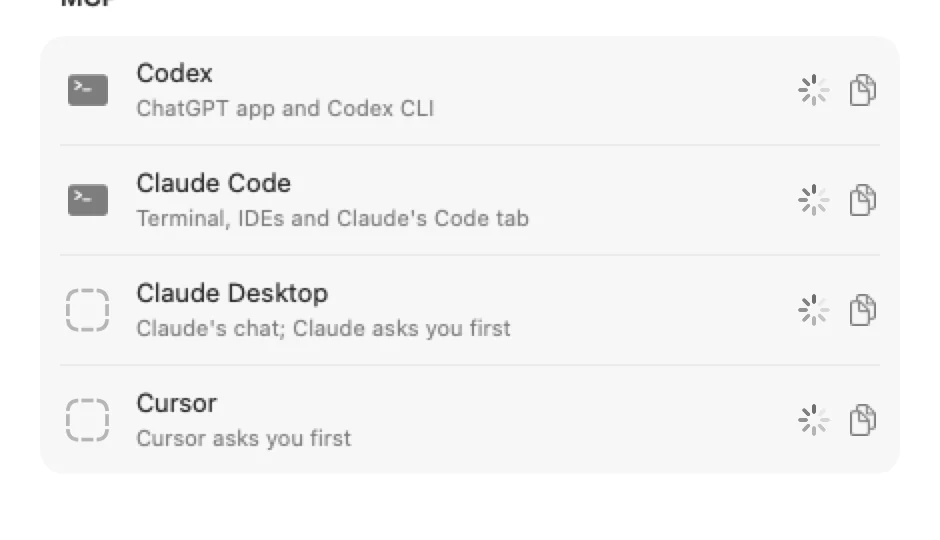
Settings › Agents, MCP: Codex for the ChatGPT app and Codex CLI, Claude Code, Claude Desktop and Cursor, and any other client

Or one line by hand.

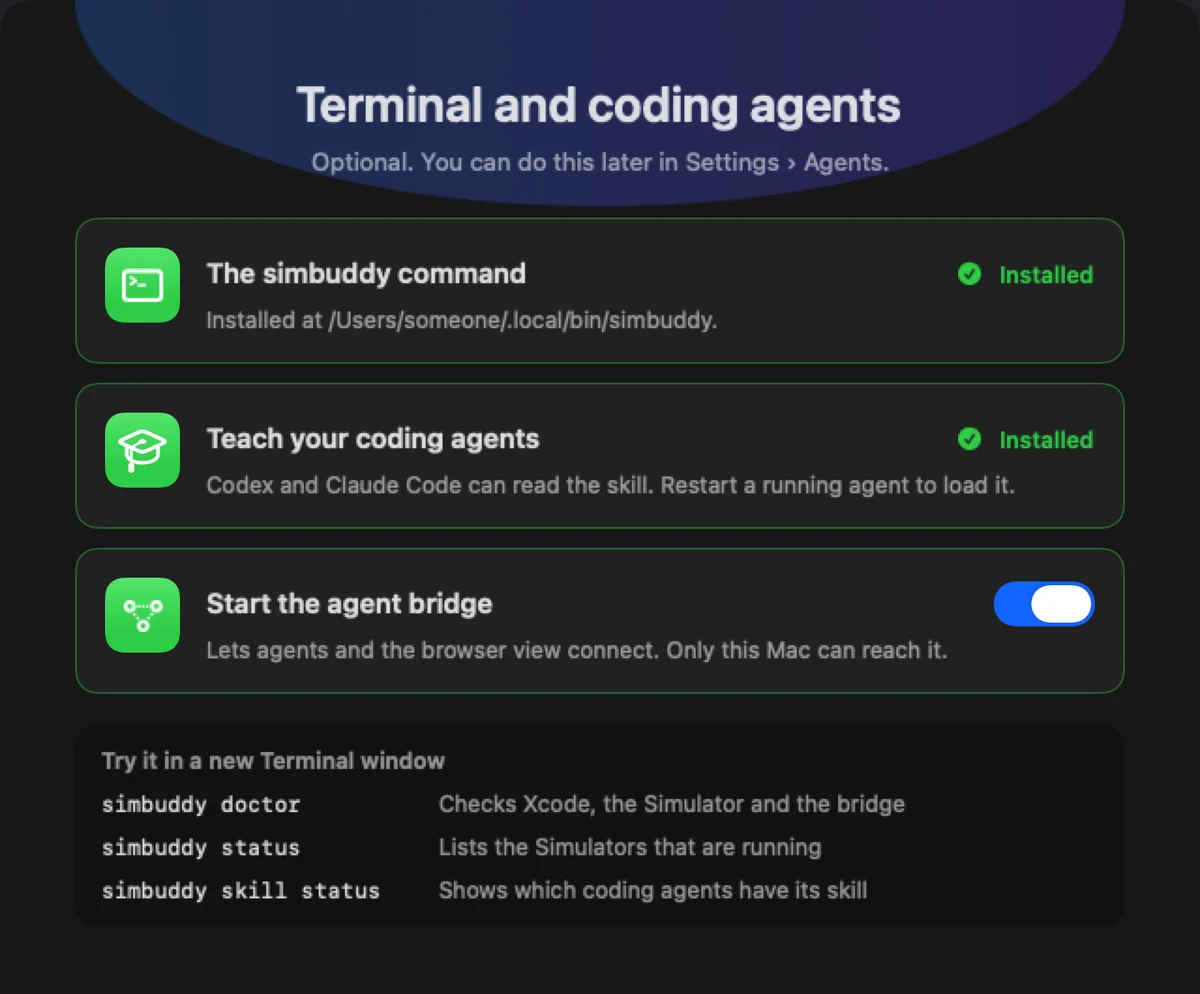
The server is the simbuddy command with mcp. Setup installs the command at ~/.local/bin/simbuddy; then add it to your agent:

Claude Code

$ claude mcp add --scope user simbuddy -- ~/.local/bin/simbuddy mcp

Codex, in ~/.codex/config.toml (a recording can take longer than Codex’s default wait)

[mcp_servers.simbuddy]
command = "/Users/you/.local/bin/simbuddy"
args = ["mcp"]
tool_timeout_sec = 180

Cursor, in ~/.cursor/mcp.json

{
  "mcpServers": {
    "simbuddy": {
      "command": "/Applications/SimBuddy.app/Contents/Helpers/simbuddy",
      "args": ["mcp"]
    }
  }
}
Setup’s Terminal and coding agents page: the simbuddy command, the skill for coding agents and the agent bridge, with three commands to try

Inside an agent’s sandbox.

SimBuddy is an App Store app, and macOS does not start an App Store app’s command inside another app’s sandbox. Let simbuddy run outside it:

  • Claude Code: add simbuddy to sandbox.excludedCommands
  • Codex: run it with escalated permissions
  • Cursor and Gemini CLI: let it run unsandboxed
$ simbuddy doctor

Read, act, check.

Ask your agent to describe the screen. It reads the Simulator as a tree of elements, acts on one and gets back what changed; a tap that moved nothing answers unchanged, so it looks again before it presses twice.

Open SimBuddy’s web page to watch the same device, click an element, write a note and send it to your agent.

Notes, sessions and privacy
$ simbuddy ui tree
$ simbuddy ui tap --label "Sign In"

Questions, answered

How can Claude Code see and tap my app in the iOS Simulator?

Install SimBuddy and turn on Claude Code in Settings › Agents, or run: claude mcp add --scope user simbuddy -- ~/.local/bin/simbuddy mcp. Claude Code then reads the screen, taps, types, records and profiles the Simulator you see.

Does it work with Codex and Cursor too?

Yes. SimBuddy’s MCP server works with Codex in the ChatGPT app and the Codex CLI, Claude Code, Claude Desktop, Cursor and any other MCP client.

Does it work with Xcode 27’s Device Hub?

Yes. SimBuddy finds booted devices whether Device Hub or the standalone Simulator shows them.

Is it free?

Free gives 5 agent sessions a day, 30 minutes each, after three days without limits the first time you connect an agent. SimBuddy Pro has no daily limit.