SimBuddy Get SimBuddy

The app’s data, in reach.

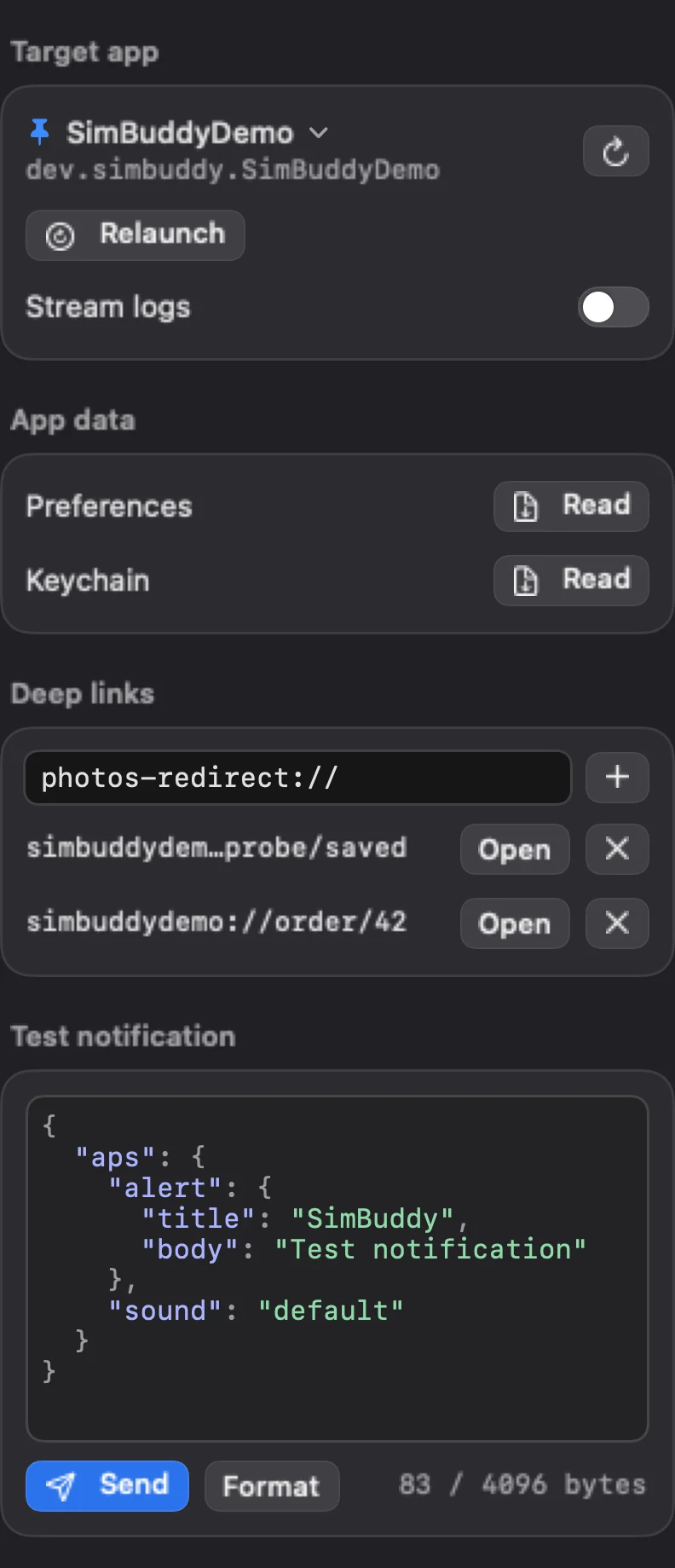
The App workspace reads and edits the target app’s preferences, lists or deletes its keychain items, keeps the deep links you open often, sends a test notification with your own payload and streams the app’s logs.

Free: the whole workspace, with no limit.

SimBuddy’s App workspace for SimBuddyDemo: Stream logs, Preferences and Keychain with Read, two saved deep links with Open, and a test notification’s JSON payload with Send
The App workspace, for SimBuddyDemo.

Preferences you can edit.

Read lists the app’s preferences from its data container, each with its kind. Filter them, change a value, add one or remove one, then Save, which stops the app and writes the file.

  • Open the file in your Mac’s default app, or show it in Finder
  • simbuddy defaults reads and writes the same file

Keychain, links and a test push.

Keychain lists the items the app owns; their values stay encrypted. Delete items removes every one of them, and the secrets cannot be recovered.

Deep links keeps the links you open often, and opens each on the device. A test notification takes your own JSON payload, up to 4,096 bytes.

  • Stream logs: the device’s unified log, for the app, in SimBuddy
  • simbuddy container save keeps the app’s data as an Xcode app data package

Your agent can set the stage.

Each card has a command, so a test or an agent can start the app from the state it needs.

$ simbuddy defaults set com.example.app onboardingDone true

A preference, written; the app is stopped first.

$ simbuddy keychain clear com.example.app

Every keychain item the app owns, deleted.

$ simbuddy push com.example.app --payload - < order-shipped.json

A notification with your payload.

$ simbuddy logs com.example.app --follow --for 30s

The app’s log lines, live.