SimBuddy Get SimBuddy

Four devices. One input.

The Device Matrix lines up Simulators at their true sizes, any models on any iOS versions you pick. Mirror input plays each tap on all of them, and Screenshot all shoots the set into one folder.

Free: one matrix a day, up to four devices.Pro: no daily limit and bigger sets.

The Device Matrix film. 1:29, with sound.

A saved set opens and one tap plays on iPhone Duo, iPhone 18 Pro and iPhone 17e. A custom set built in the panel, Mirror input up close, and fast mode taking iPhone 17e from 12.6 GB to 5.7 GB of memory.

Music: Sascha Ende, ende.app (CC BY 4.0). Sound effects: Kenney (CC0).

Start from a set.

Pick a preset or your own devices and iOS versions. SimBuddy installs the newest copy of your app on each one, the build or a newer one already on a device, and launches it.

Sets are saved, the one you used last at the top.

  • Newest devices: iPhone Duo and the newest iPhone, Pro and Pro Max
  • Size sweep: the smallest iPhone, a Pro, a Pro Max and iPad mini
  • Latest and oldest runtime: one model on two iOS versions
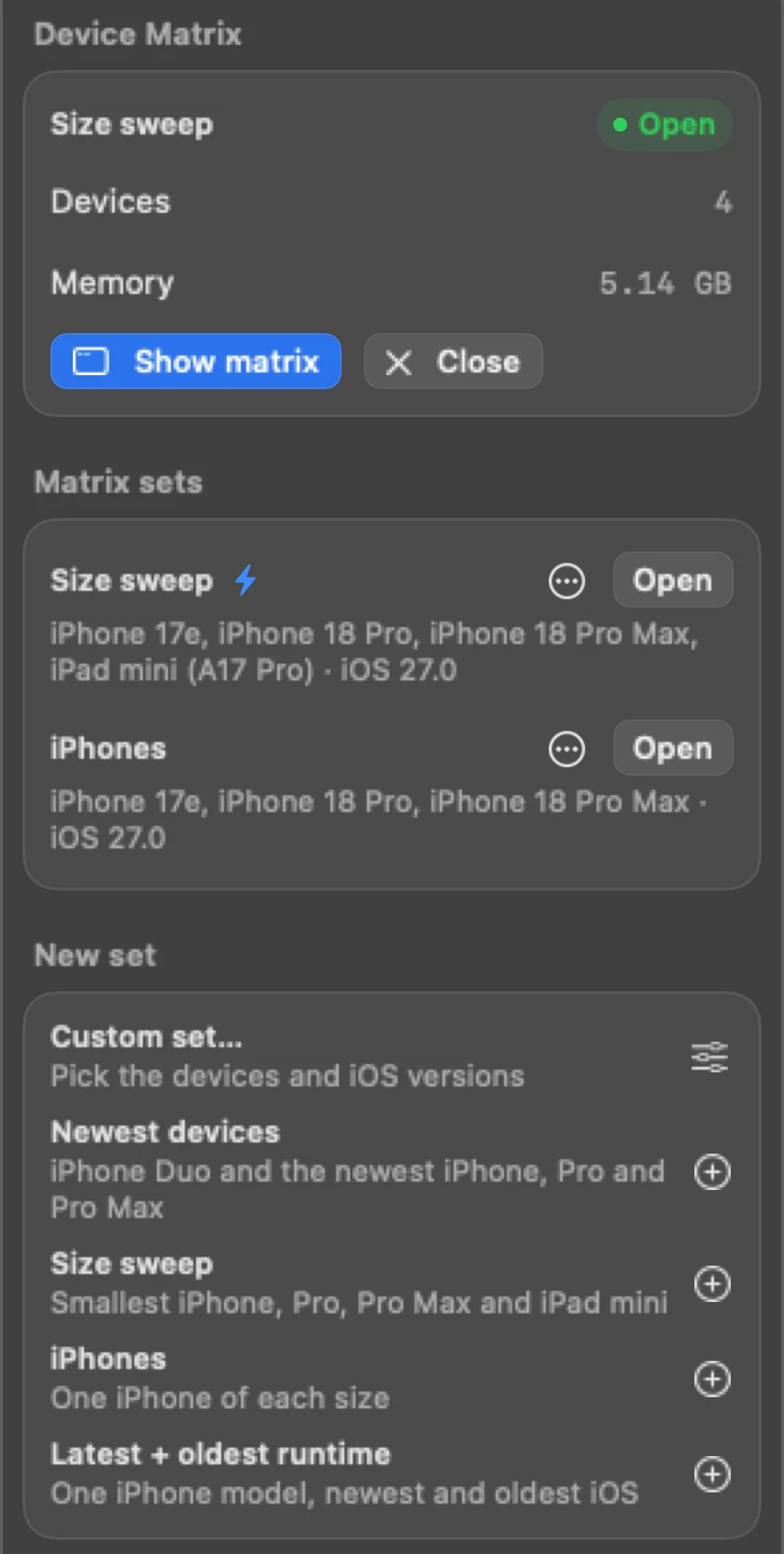
The Devices workspace: Size sweep open with four devices, saved sets and the presets for a new set

Mirror input: one tap, every device.

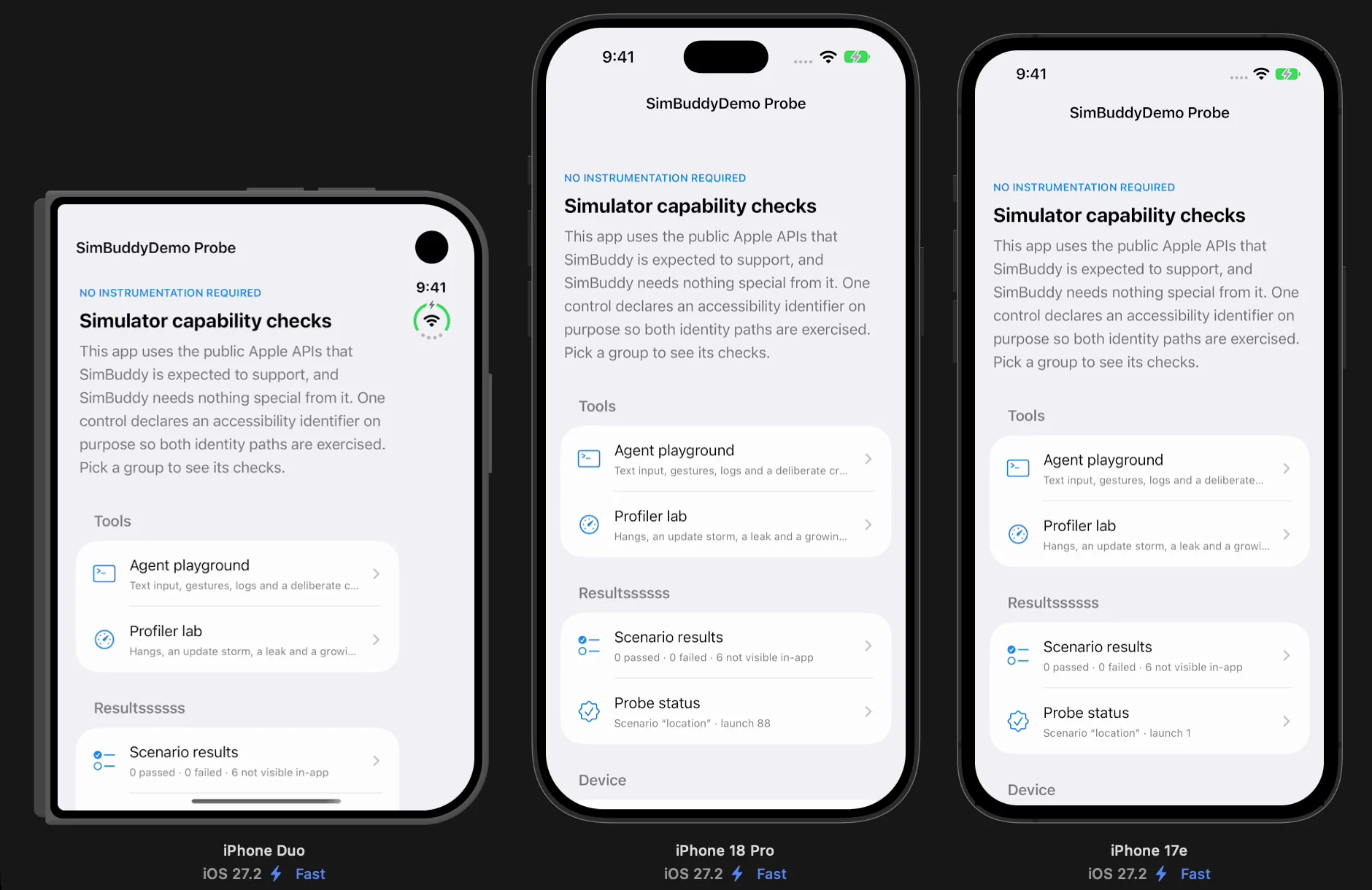
Tap one Simulator and the same control is tapped on the others; press and hold, and each one holds. Points shows every device at its true size, Fit height lines them up by height.

iPhone Duo’s tile follows its fold, the cover screen while it’s closed and the inner screen once it opens.

Three Simulators in the Device Matrix at their true sizes, each in fast mode: iPhone Duo folded, iPhone 18 Pro and iPhone 17e, all on SimBuddyDemo’s capability checks
iPhone Duo, iPhone 18 Pro and iPhone 17e at their true sizes, with Mirror input on.

Fast mode, so four fit.

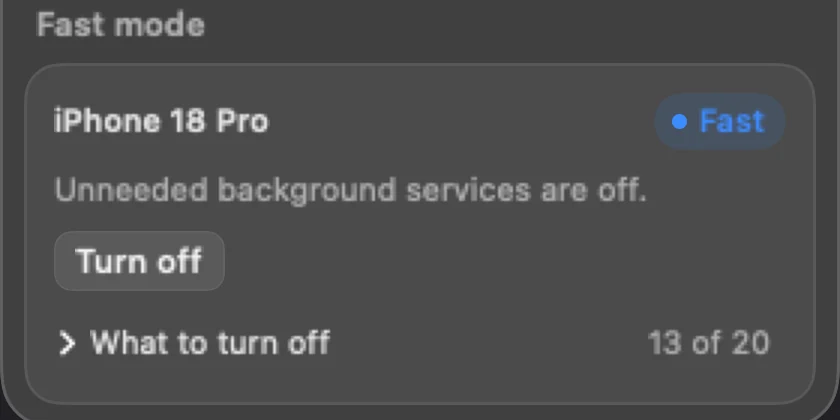
Fast mode turns off the background services development rarely needs, such as Siri, Spotlight, photo analysis, iCloud sync and widgets, so more Simulators fit in your Mac’s memory. Turning it off puts back exactly what it stopped.

Doctor reads your app first and keeps what it uses, Push and StoreKit for example.

The Fast mode card: iPhone 18 Pro is Fast, its unneeded background services are off

Shoot the whole set.

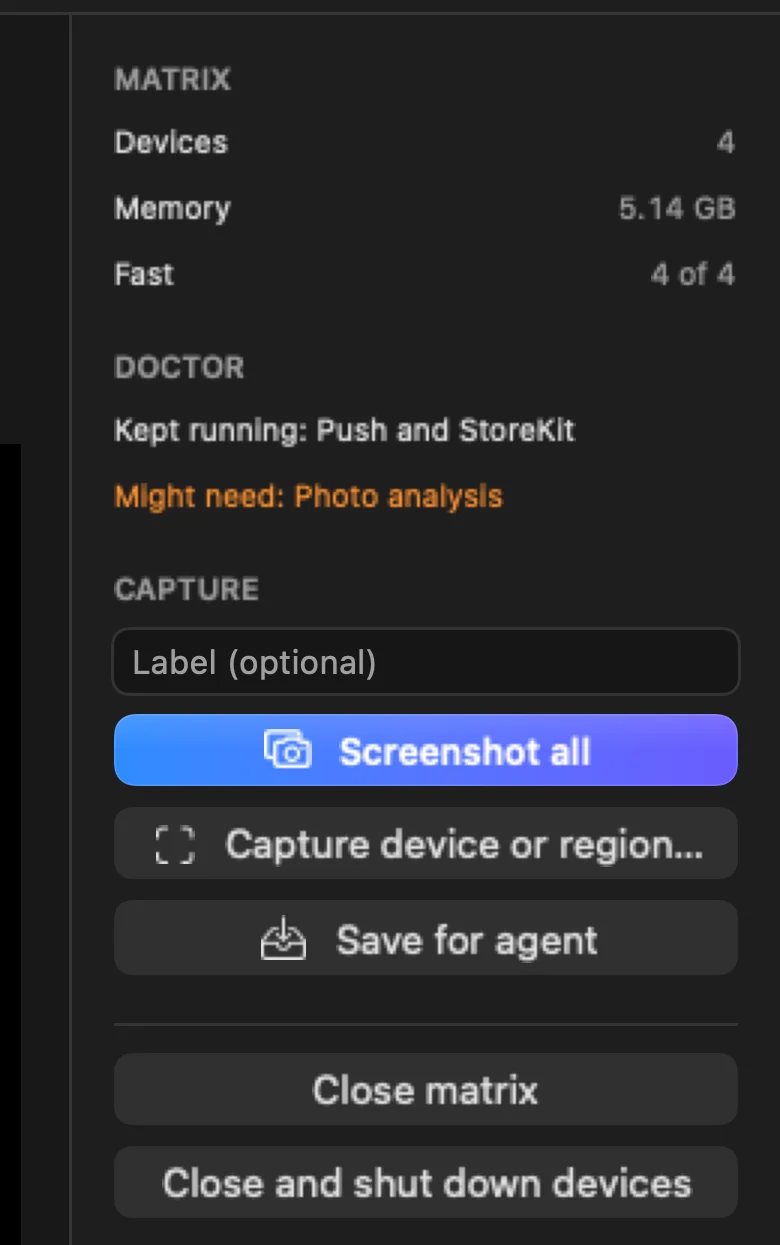
Screenshot all saves every device’s picture in one folder, named by device and iOS version, with a label if you give one. Capture device or region takes one tile, or part of it, with a note for your agent.

The Device Matrix window’s column: four devices, 5.14 GB of memory, four in fast mode, Doctor’s findings, Screenshot all, Capture device or region and Save for agent

Or open it from a prompt.

The matrix answers the same commands as the panel, so an agent can check one screen on every size before it calls the work done.

$ simbuddy matrix open Sizes --create

Fast mode, the newest copy of the app and a launch on every device.

$ simbuddy matrix tap 0.5 0.9

One tap, played on each device.

$ simbuddy matrix shoot --label "checkout total"

Every device’s screenshot, in one folder.

$ simbuddy fast plan --count 4

Do four more fast devices fit in the free memory?