SimBuddy Get SimBuddy

Your app on 3G, or offline.

Put one app, or the whole Simulator, on 3G, Edge, a lossy line or Airplane Mode. Only the Simulator slows down; your Mac stays online, and a timer turns it off for you.

Free: one network session a day.Pro: no daily limit.

The Network film. 1:54, with sound.

Told from a Claude Code session: a mock answers for an API that isn’t live yet, Airplane Mode takes one app offline while the Mac stays online, 3G runs for ten minutes, and Insights finds the duplicate calls the agent then fixes.

Music: Sascha Ende, ende.app (CC BY 4.0). Sound effects: Kenney (CC0).

Pick the failure you want to see.

The profiles are Apple’s Network Link Conditioner presets plus SimBuddy’s 2G. Each one names its numbers, so you know what the app is getting.

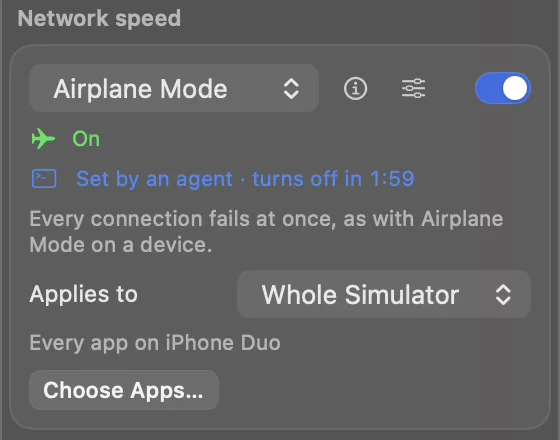
  • Airplane Mode: every request fails at once, as with Airplane Mode on a device
  • 100% Loss: connections stay open and requests wait for their own timeout
  • 3G, Edge, 2G and Very Bad Network: slow, and lossy for the last
  • Your own: a rate each way, an added round trip and loss
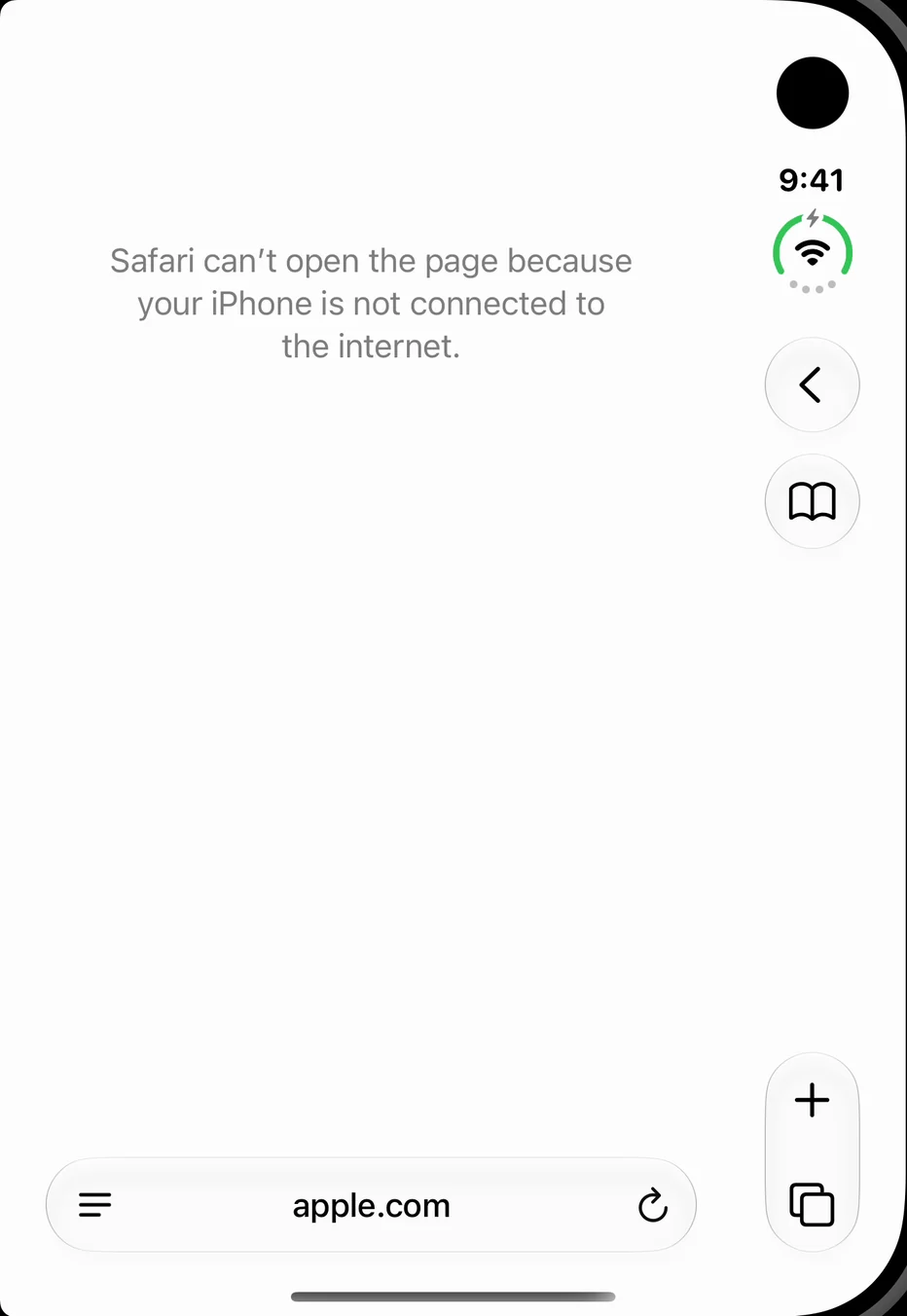
iPhone Duo in Airplane Mode: Safari can’t open apple.com because the iPhone is not connected to the internet
The Network speed card: Airplane Mode is on for the whole Simulator, set by an agent, turning off in 1:59
From the take: an agent set Airplane Mode for two minutes, and Safari on iPhone Duo went offline.

One app, and nothing else.

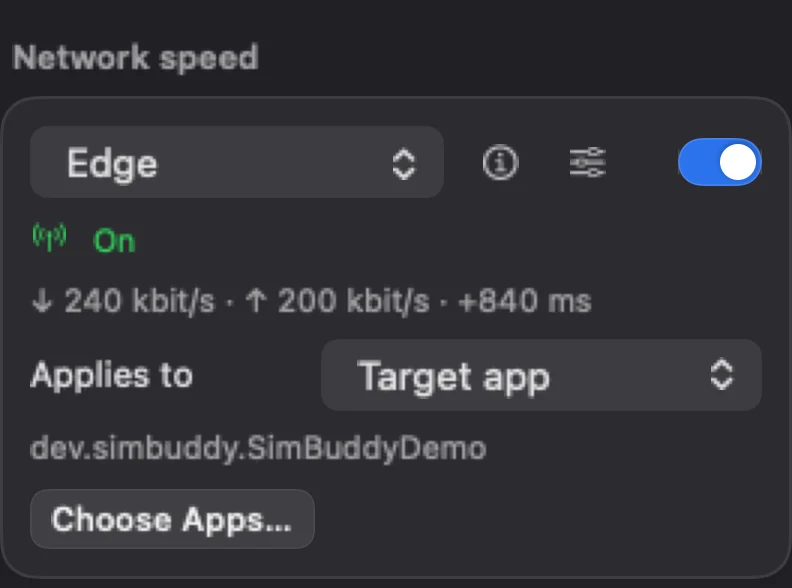
Applies to picks what slows: the target app with its widgets and extensions, the apps you choose, or every process on the Simulator.

The card shows the numbers in force: Edge here is 240 kbit/s down, 200 kbit/s up and 840 ms added to every round trip. A connection the app opened before the profile started keeps its old speed until it closes, so relaunch the app before you measure.

The Network speed card: Edge is on for the target app, dev.simbuddy.SimBuddyDemo, 240 kbit/s down, 200 kbit/s up, 840 ms added

Answer for the server.

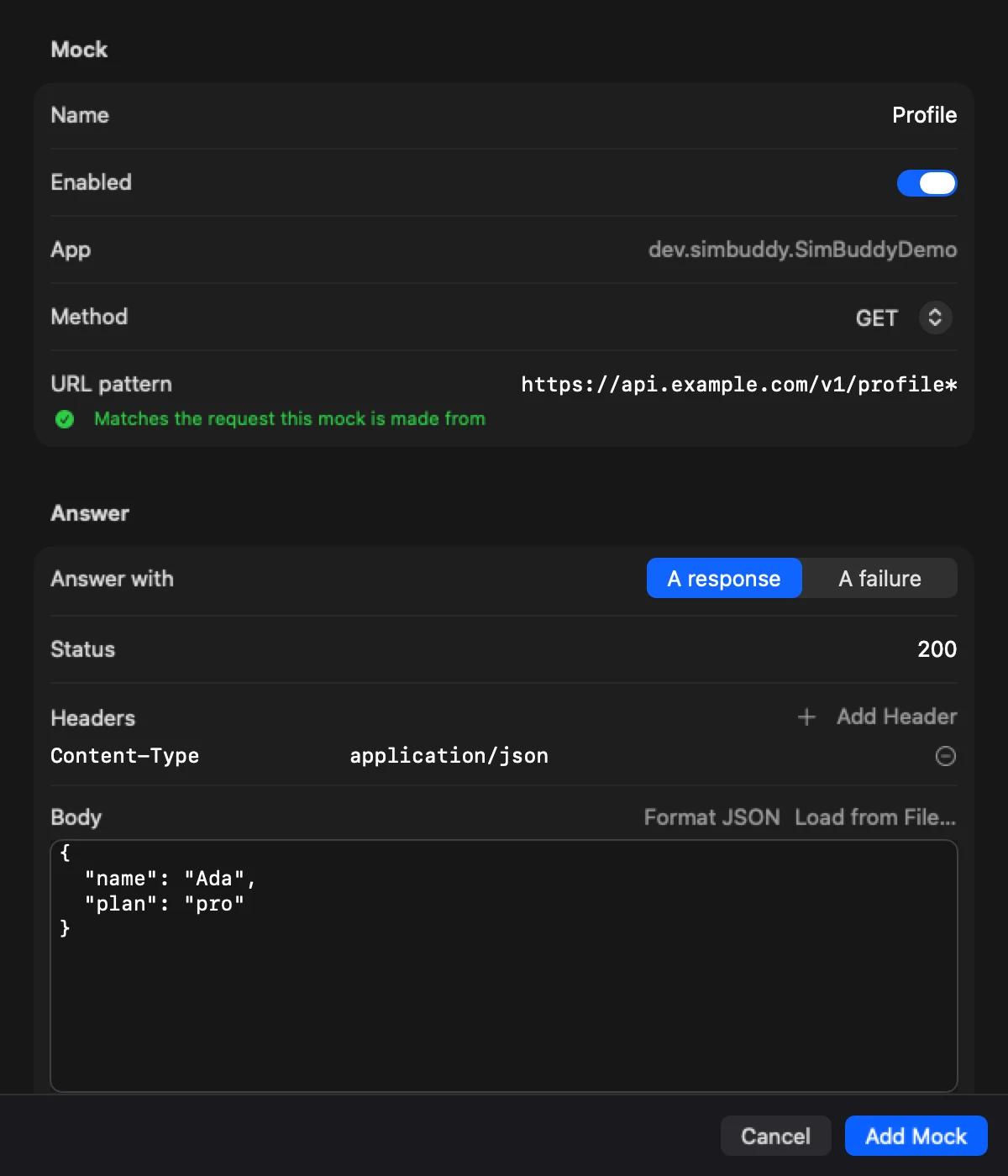
Open the Network Monitor and relaunch the app with it: requests and log lines arrive side by side, with Insights over the history. Choose Mock Response… on a request and SimBuddy answers it from then on, with a status, headers and a body, or with a failure.

Mocks answer the app’s URLSession requests once the monitor has launched it, from its very next request.

  • The URL pattern says whether it still matches the request it came from
  • A delay plays a slow server; a failure plays a dropped connection
  • Mocks stay on this Mac, across restarts, until you remove them
SimBuddy’s mock editor: a GET mock for api.example.com/v1/profile answering 200 with a JSON body

Set it from a prompt.

Give a profile a timer with --for and it turns itself off, so an agent that stops early never leaves your apps slow. The panel shows “Set by an agent”, with the countdown, and you can take it over.

$ simbuddy network set airplane --whole-simulator --for 2m

Every app on the Simulator offline, for two minutes.

$ simbuddy network set 3g --bundle-id com.example.app --for 10m

One app and its extensions on 3G.

$ simbuddy network off

Back to full speed. This is never refused and never counted.