SimBuddy Get SimBuddy

9:41, every time.

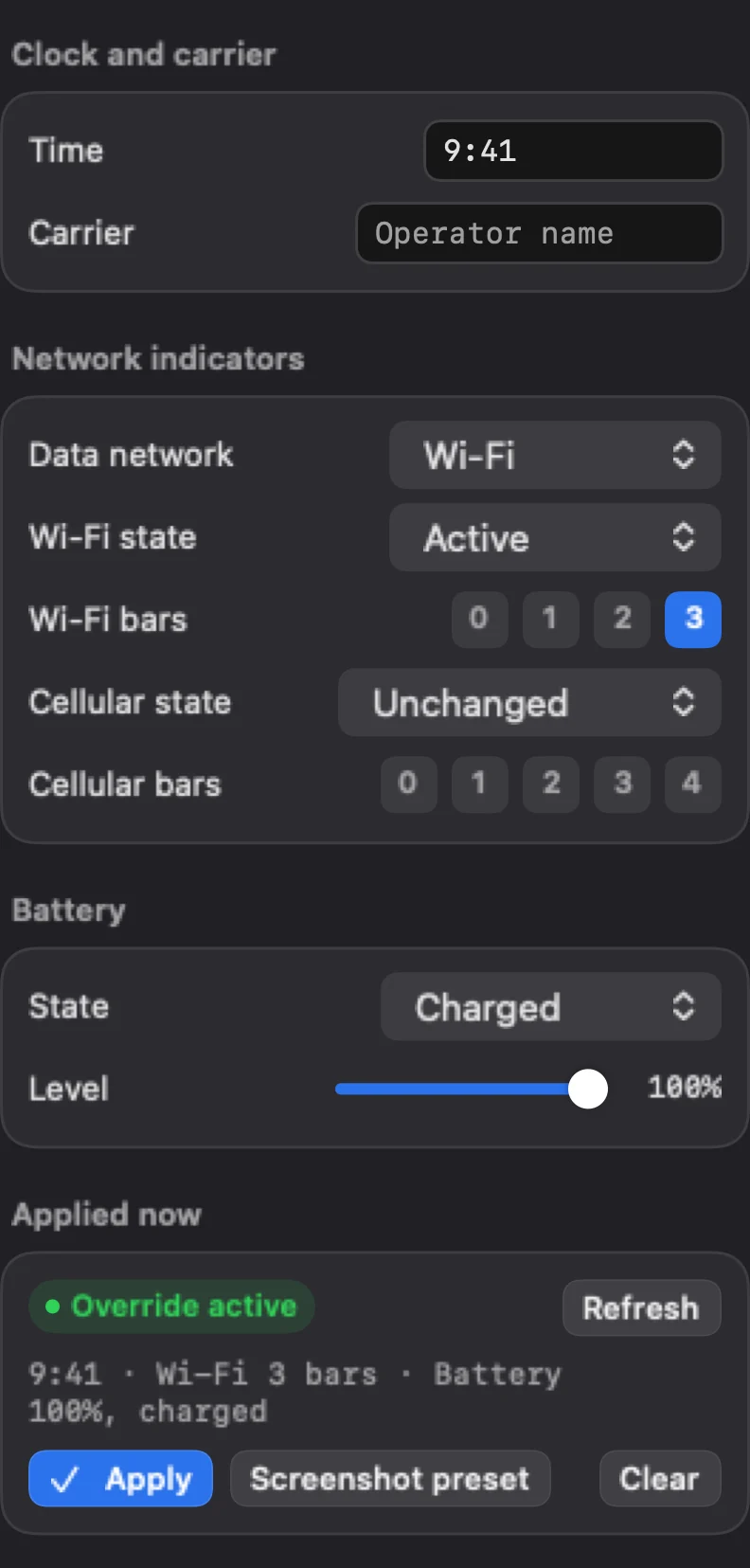
Set the time, the carrier, the data network, the Wi-Fi and cellular bars and the battery, and every screenshot and recording shows them. Screenshot preset is 9:41, Wi-Fi with three bars, charged at 100%.

Free: the whole workspace, with no limit.

SimBuddy’s Status bar workspace: Time 9:41, Data network Wi-Fi, Wi-Fi state and bars, cellular state and bars, battery Charged at 100%, and Override active with Apply, Screenshot preset and Clear
The Status bar workspace.

What each indicator can show.

The data network is the indicator the status bar shows; it does not change real connectivity. Time takes any text, such as 9:41, and an ISO date also sets the device date.

Applied now says whether an override is on. Clear restores the real status bar.

  • Wi-Fi, 3G, 4G, LTE, LTE-A, LTE+, 5G, 5G+, 5G UWB, 5G UC, or hidden
  • Wi-Fi from 0 to 3 bars, cellular from 0 to 4
  • Clean status bar on Home sets the preset in one switch

Store pictures, the same each time.

Set the status bar from a script before it takes the screenshots, and clear it after.

$ simbuddy statusbar clean

9:41, full Wi-Fi and a charged battery.

$ simbuddy statusbar set --time 9:41 --data-network 5g --battery-level 42

Your own values.

$ simbuddy statusbar list

The overrides in effect.

$ simbuddy statusbar clear

The real status bar back.