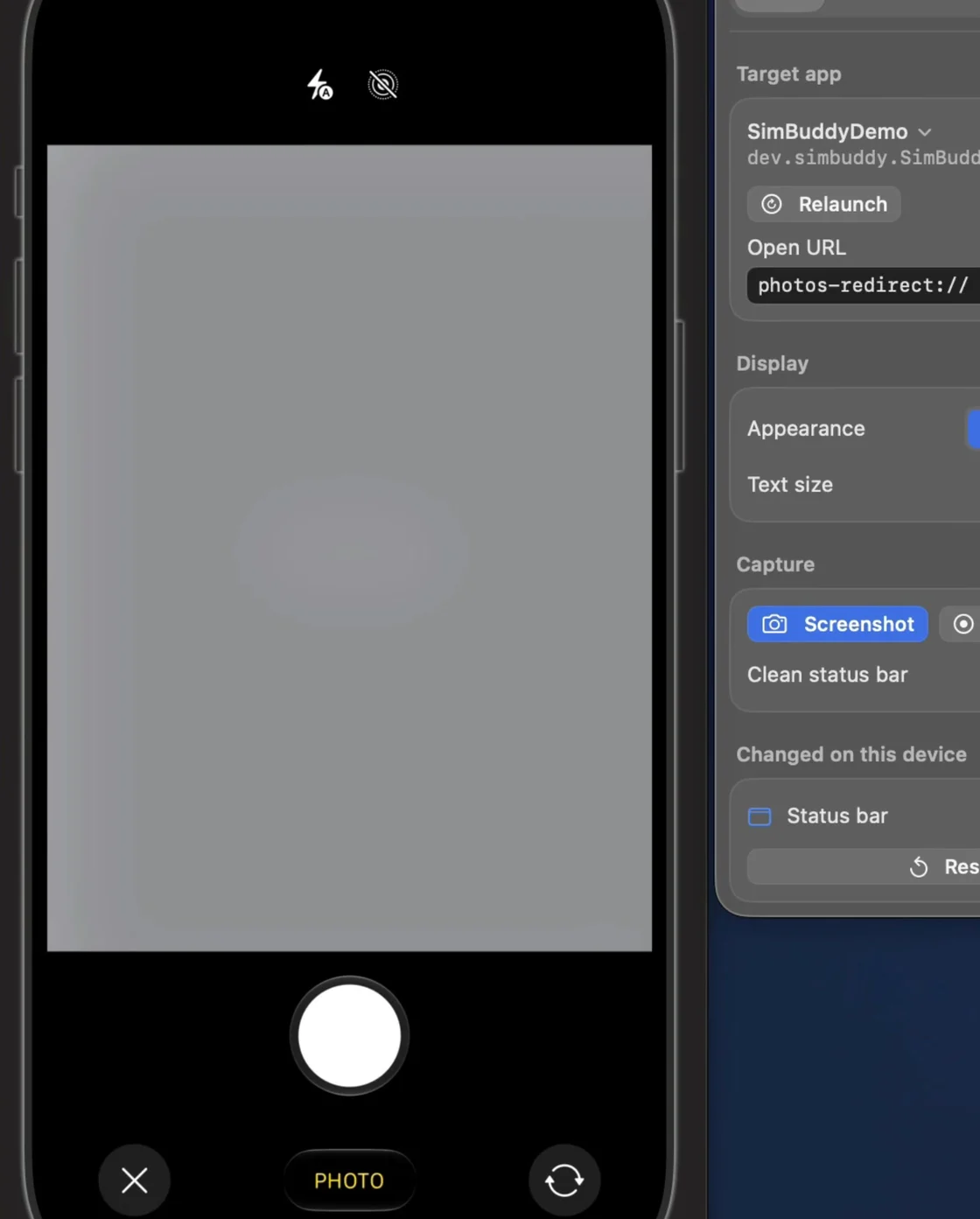
The Simulator has no camera.
Open the camera in an app on the Simulator and you get a grey viewfinder. A shutter that takes nothing is a hard way to test a scanner, a profile photo or a video call.
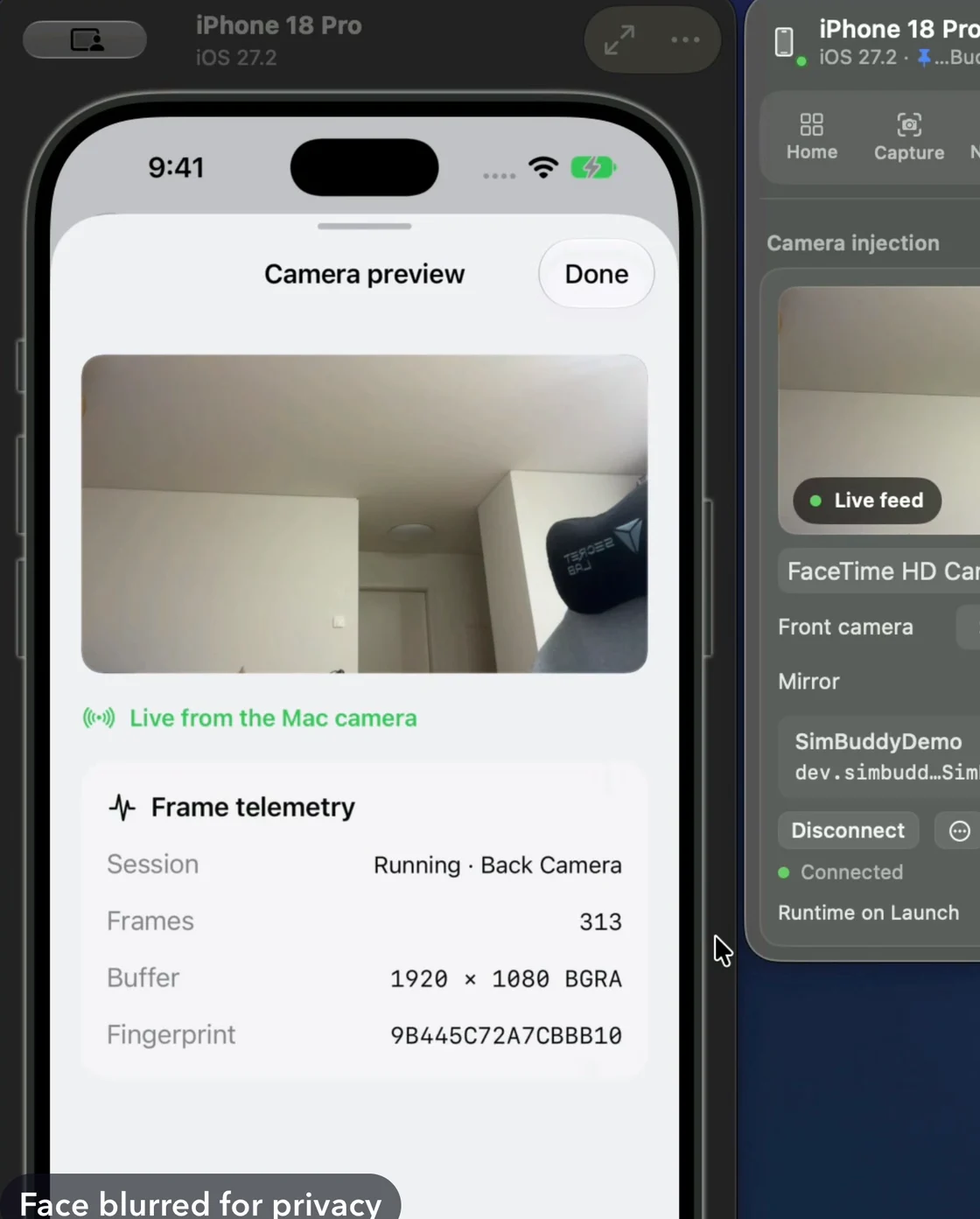
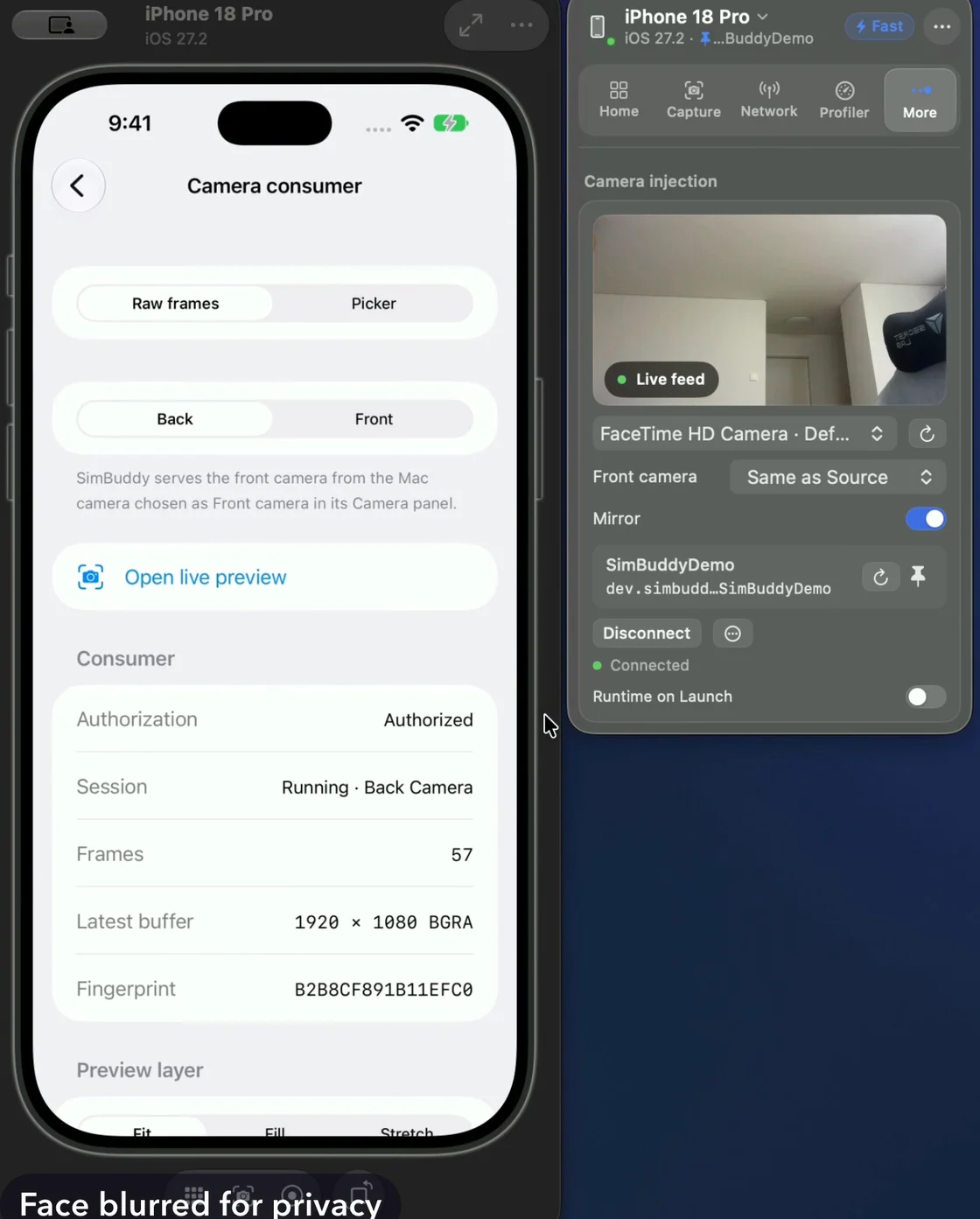
The Camera workspace sits under More in the panel. Pick the app, pick a camera, and start the feed.