SimBuddy Get SimBuddy

Your agent drives the device you see.

SimBuddy’s MCP server and the simbuddy command let Codex, Claude Code, Claude Desktop and Cursor read the screen, tap, type, record, set the network and profile, on the same Simulator in front of you.

Free: 5 agent sessions a day, 30 minutes each, after a trial without limits the first time you connect.Pro: no daily limit.

The Agents film. 1:57, with sound.

Notes pinned on SimBuddy’s live view in Claude Code’s browser and in the ChatGPT app, sent with marked screenshots. Each agent fixes SimBuddyDemo’s Order summary, and the film counts the tokens one task takes.

Music: Sascha Ende, ende.app (CC BY 4.0). Sound effects: Kenney (CC0).

Connect in Settings › Agents.

SimBuddy installs its MCP server for Codex in the ChatGPT app and the Codex CLI, for Claude Code, Claude Desktop and Cursor, and teaches Codex and Claude Code the simbuddy command with a skill. Any other MCP client gets the configuration to paste.

  • Xcode’s own Codex and Claude Agent get the skill too
  • Claude Desktop and Cursor ask you before they use it
  • Setup offers all of this, and Settings keeps it
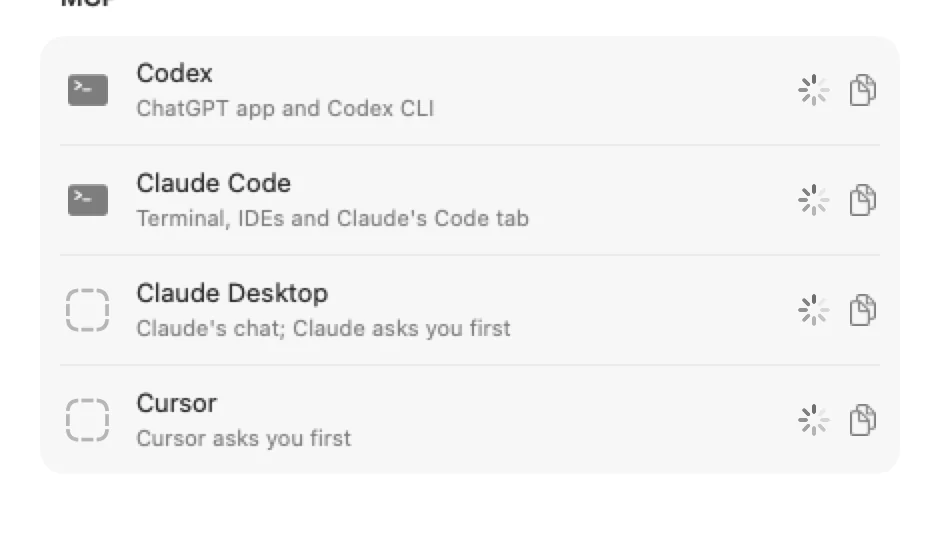
Settings › Agents, MCP: Codex for the ChatGPT app and Codex CLI, Claude Code, Claude Desktop and Cursor, and any other client

Read, act, check.

An agent reads the screen as a tree of elements, acts on one and gets back what changed. A tap that moved nothing answers unchanged, so the agent looks again before it presses twice.

Every command answers with one JSON envelope, so an agent branches on ok instead of reading prose.

  • Tap, press and hold, swipe, scroll, type and press a key
  • Replay a gesture you recorded
  • Wait for a change instead of polling
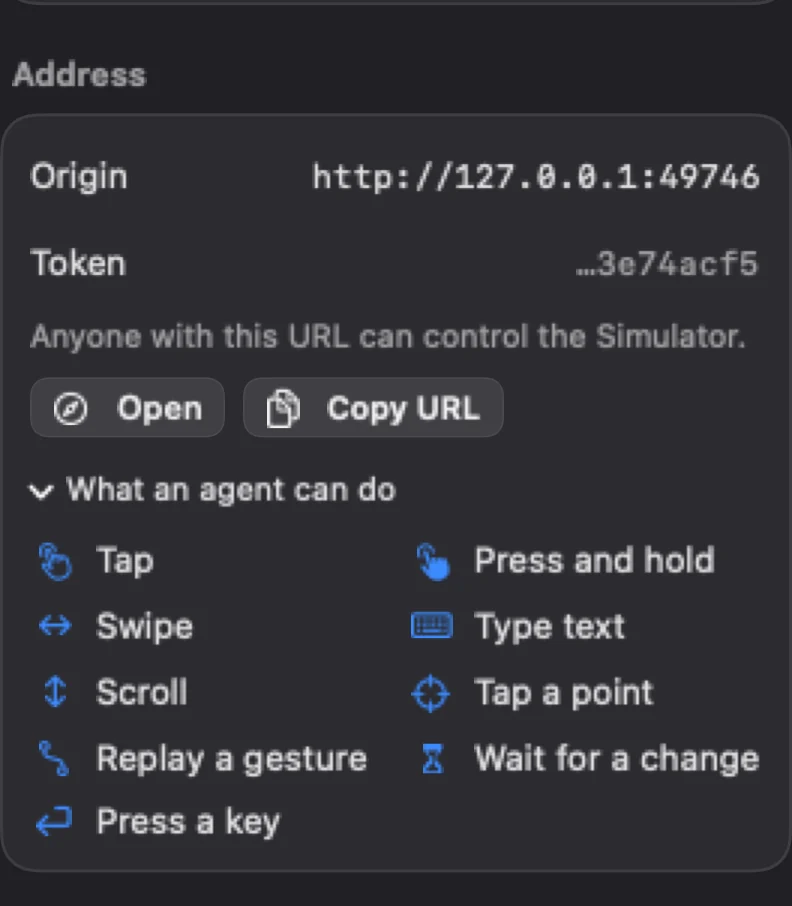
The Agent workspace: the bridge’s address and token, Open and Copy URL, and what an agent can do: tap, press and hold, swipe, type text, scroll, tap a point, replay a gesture, wait for a change, press a key

Show it what you mean.

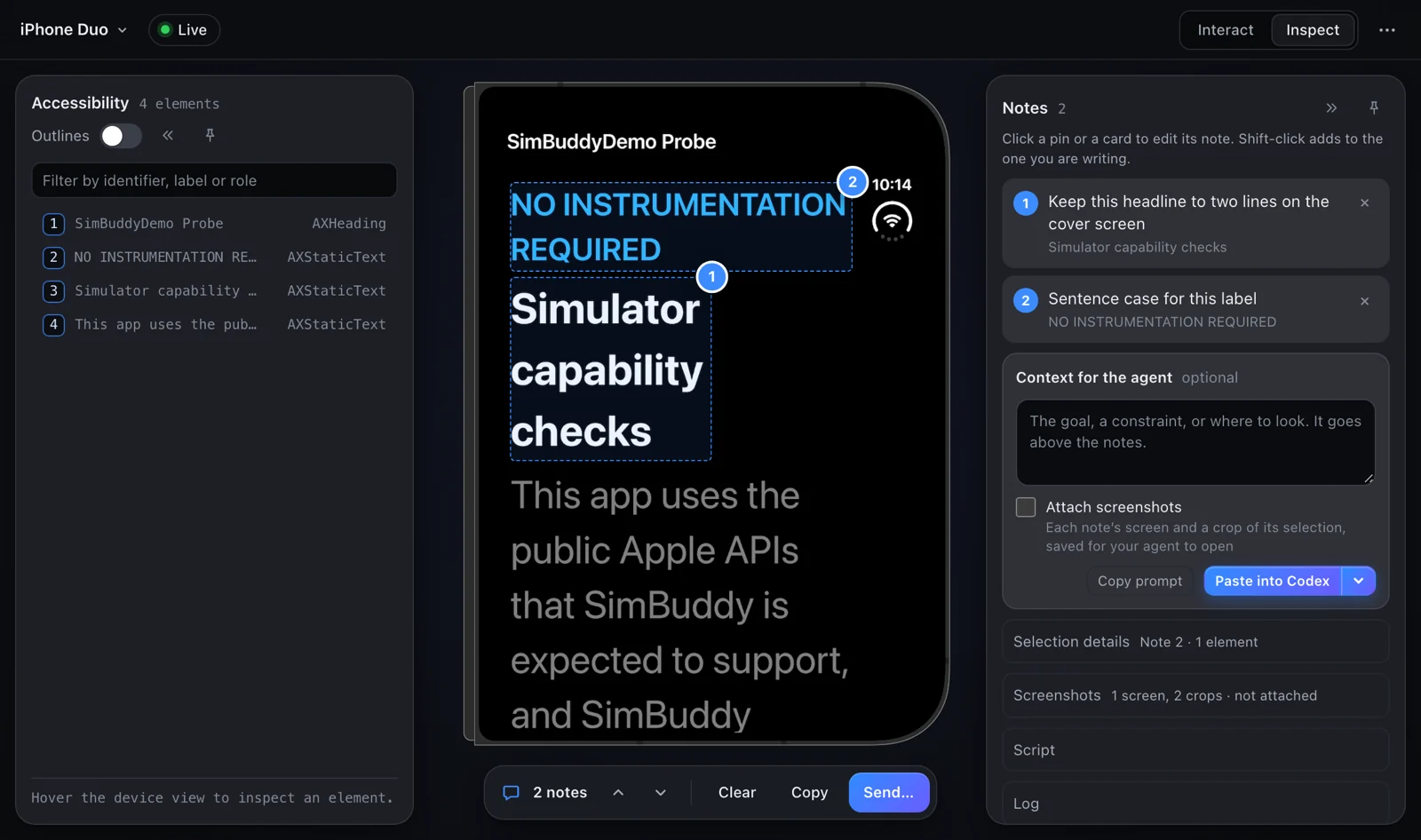
Open SimBuddy’s web page in any browser, or in Codex’s in-app browser, to see the live device. Click an element or drag over a region, write a note and send it.

Notes reach your Codex chat, a Claude Code session that is waiting for them, or Codex’s own comment box on the device view. Tick Screenshots and each note brings the screen you were looking at.

SimBuddy’s web page in notes mode: two notes pinned on the live screen of an iPhone Duo, ready to paste into Codex
Two notes pinned on iPhone Duo’s live screen, ready for Codex.

Only this Mac can reach it.

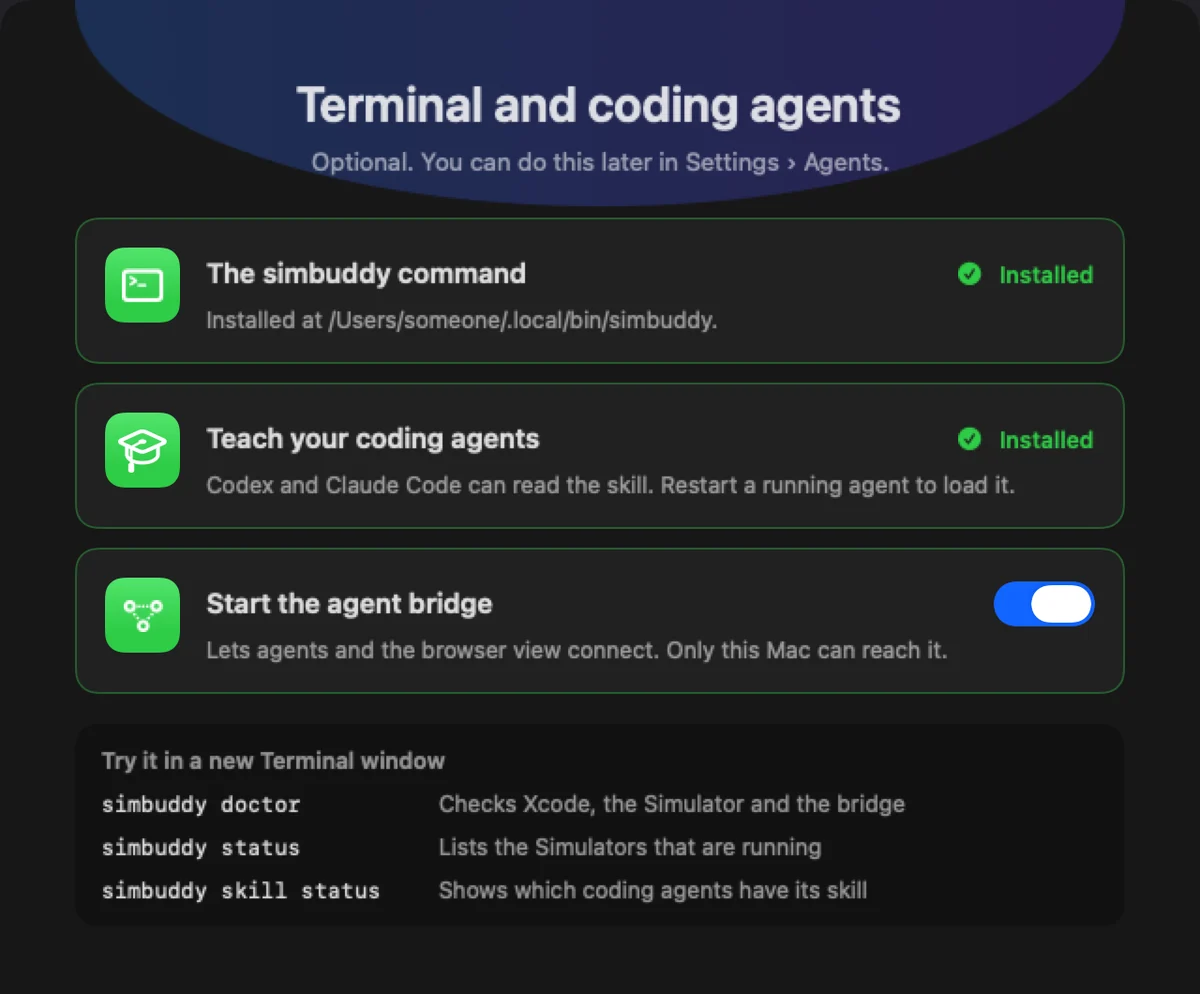
The agent bridge listens on 127.0.0.1, makes a new token each time it starts and stops when SimBuddy quits. Starting it with SimBuddy is your choice, in Setup or in Settings › Agents.

What you do on your own web page is never counted. An agent’s first action starts a 30-minute session in which everything is free.

Setup’s Terminal and coding agents page: the simbuddy command installed, the skill taught to coding agents, and the agent bridge set to start with SimBuddy

The loop, in four commands.

Read, act, wait, read again. The skill teaches it to your agent; here it is for you.

$ simbuddy ui tree

The screen as elements, with a revision number.

$ simbuddy ui tap --label "Sign In"

The tap, and the effect it had.

$ simbuddy ui wait --since 412 --until tree-changed

Did the screen move?

$ simbuddy handoff wait --timeout 30m

Waits for the notes you send from the web page.